
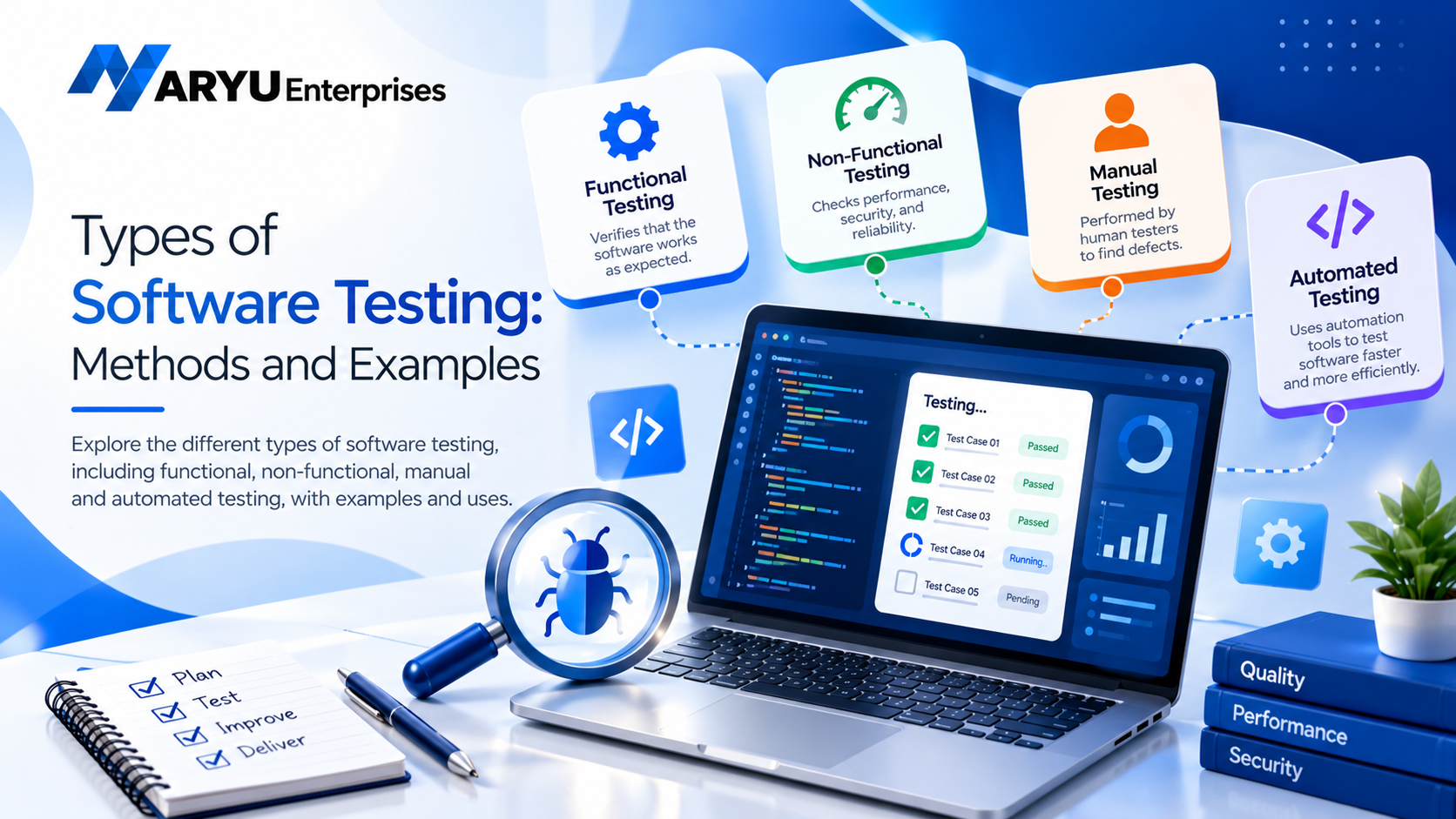
Software testing is an essential part of software development that helps identify bugs, verify functionality, and improve product quality. The types of software testing include functional testing, non-functional testing, manual testing, and automated testing. Each type serves a different purpose, from checking whether a feature works correctly to evaluating an application’s performance, security, and usability.
What Is Software Testing?
Software testing is the process of evaluating an application or system to check whether it meets specified requirements and works as expected. It involves identifying defects, verifying features, and assessing the overall quality of the software before or after release.
Testing can be performed manually by testers or automatically using testing tools and scripts. It may take place at different stages of development, from testing individual components to evaluating the complete application. For example, when developing an online shopping website, testers may check whether users can create accounts, add products to their carts, complete payments, and track orders without errors.
Major Types of Software Testing
Software testing methods are generally grouped into functional and non-functional testing. Manual and automated testing describe how tests are performed.
1. Functional Testing
- Unit Testing: Tests individual functions or components separately.
- Integration Testing: Checks whether different modules work correctly together.
- System Testing: Evaluates the complete application as an integrated system.
- Smoke Testing: Checks whether the essential features work after a new build.
- Sanity Testing: Verifies specific functionality after a small change or fix.
- Regression Testing: Ensures that new changes have not broken existing features.
- User Acceptance Testing (UAT): Checks whether the software meets business needs and user expectations.
2. Non-Functional Testing
- Performance Testing: Measures responsiveness, speed, and stability under different workloads.
- Load Testing: Checks how the application performs under an expected number of users or requests.
- Stress Testing: Evaluates system behaviour beyond normal operating capacity.
- Security Testing: Identifies vulnerabilities and checks whether data and systems are protected.
- Usability Testing: Assesses how easy and intuitive the application is to use.
- Compatibility Testing: Checks whether software works across different browsers, devices, and operating systems.
- Reliability Testing: Evaluates whether the application performs consistently over time.
3. Manual Testing
Manual testing involves executing test cases without relying on automation scripts to perform the actual test steps. Testers interact with the application, observe its behaviour, and report defects. Manual testing is useful for exploratory testing, usability checks, visual verification, and situations where human judgement is important.
4. Automated Testing
Automated testing uses tools and scripts to execute tests, compare actual results with expected results, and report failures. It is especially useful for repetitive tests and large applications that require frequent releases. Automation can support regression testing, API testing, and repeated functional checks. Common tools include Selenium for browser automation, Playwright for web testing, and Postman for API testing.
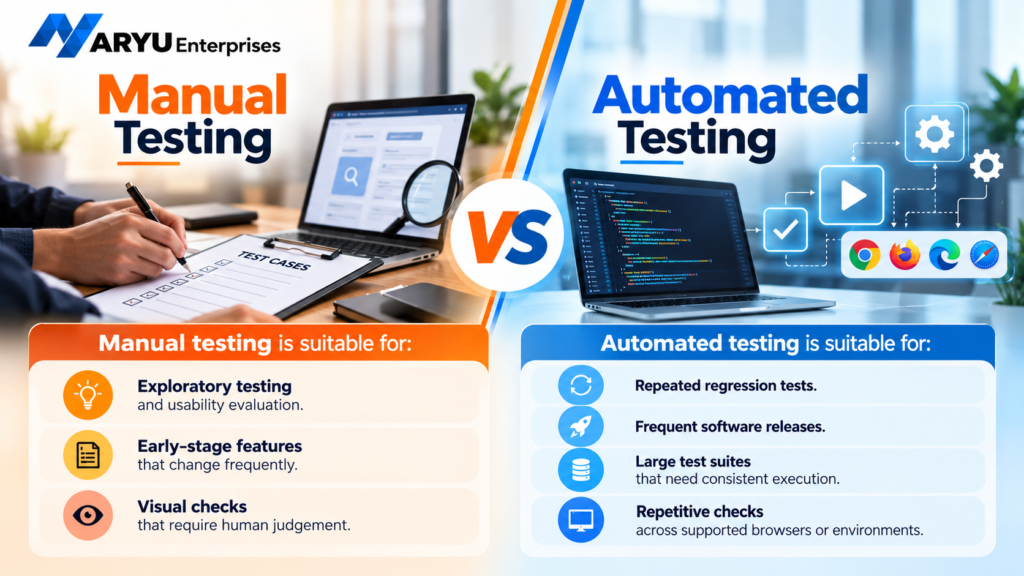
Manual Testing vs Automated Testing
Manual testing is suitable for:
- Exploratory testing and usability evaluation.
- Early-stage features that change frequently.
- Visual checks that require human judgement.
Automated testing is suitable for:
- Repeated regression tests.
- Frequent software releases.
- Large test suites that need consistent execution.
- Repetitive checks across supported browsers or environments.
Why Is Software Testing Important?
- Early defect detection: Identifies problems before they become more expensive to fix.
- Better user experience: Helps ensure that features behave as users expect.
- Improved security: Helps uncover weaknesses that could expose systems or data.
- Reliable performance: Checks whether applications can handle expected workloads.
- Lower maintenance costs: Reduces rework caused by defects discovered late in development.
- Greater confidence in releases: Provides evidence that important features have been tested.
How to Choose the Right Type of Software Testing
- Define the requirements: Identify the features, performance expectations, and security needs that must be verified.
- Assess the risks: Prioritise critical functions such as payments, authentication, and sensitive data handling.
- Choose suitable methods: Use functional testing for features and non-functional testing for performance, usability, and security.
- Decide what to automate: Automate stable, repetitive tests that need frequent execution.
- Validate with real scenarios: Include realistic user journeys and edge cases.
- Review test results: Track defects, retest fixes, and evaluate whether important requirements are covered.
Conclusion
Understanding the different types of software testing helps development teams select appropriate methods for checking functionality, performance, security, and usability. Functional and non-functional testing focus on different quality requirements, while manual and automated testing offer different ways to execute tests. Looking to strengthen your software development and technology capabilities?
Explore the solutions and services offered by Aryu Enterprises to learn how technology can support your business goals. Visit Aryu Enterprises to learn more and connect with the team.